Introduction
Placing an order on our website is simple and quick. This guide will walk you through each step so you can easily select your products, complete your purchase, and receive your order without any issues.
Follow the steps below to place your order successfully.
Step 1: Browse or Search for Products

First, explore the products available on our website.
You can:
- Use the search bar to find a specific product.
- Browse through different categories.
- Check product details, images, price, and descriptions before making a decision.
Once you find the product you want, click on it to view more details.
Step 2: Select Product Options
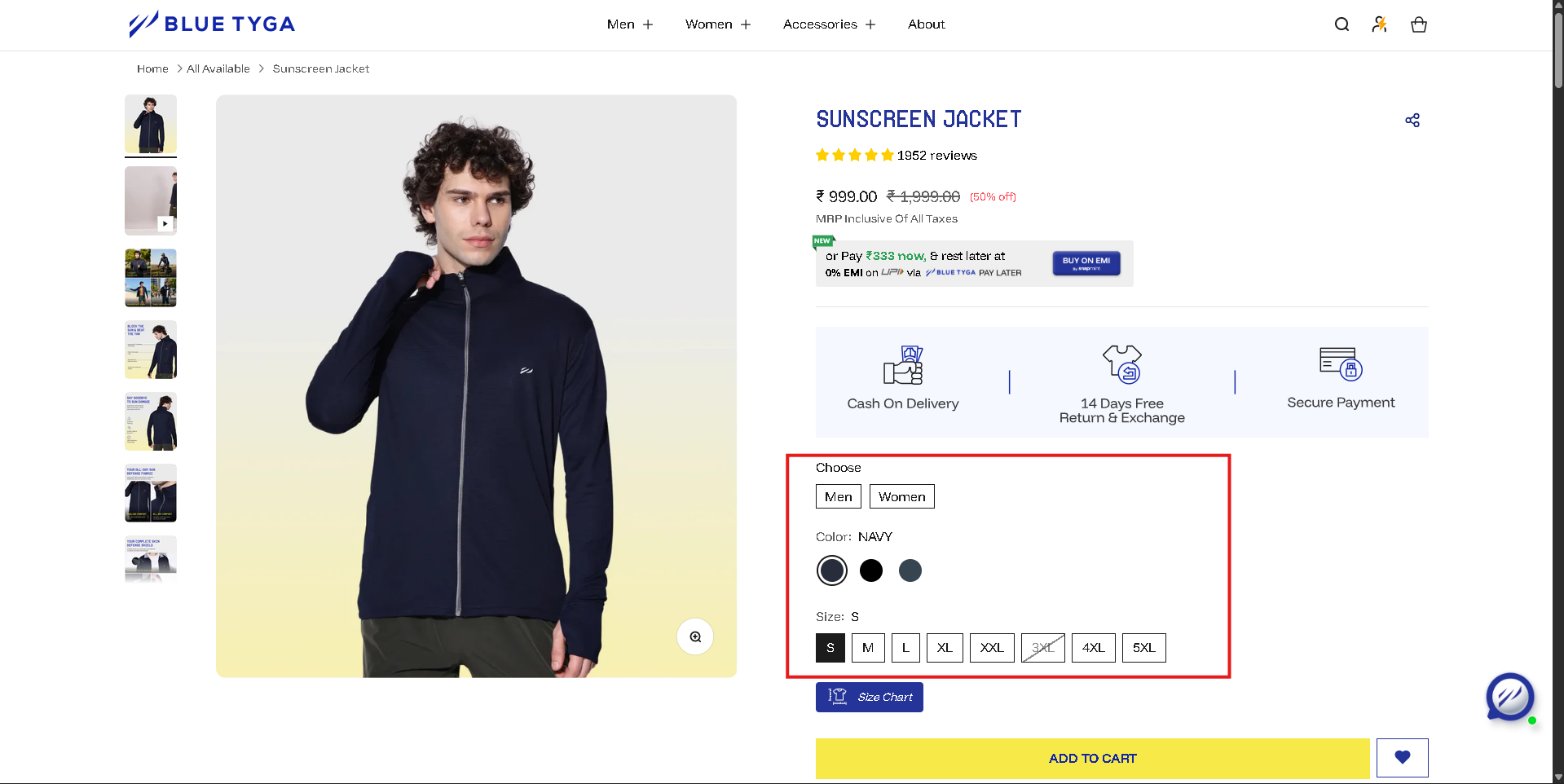
Some products may have different options such as:
- Size
- Color
- Quantity
Choose the options that best suit your needs. Make sure you select the correct variation before adding the product to your cart.
Step 3: Add the Product to Your Cart
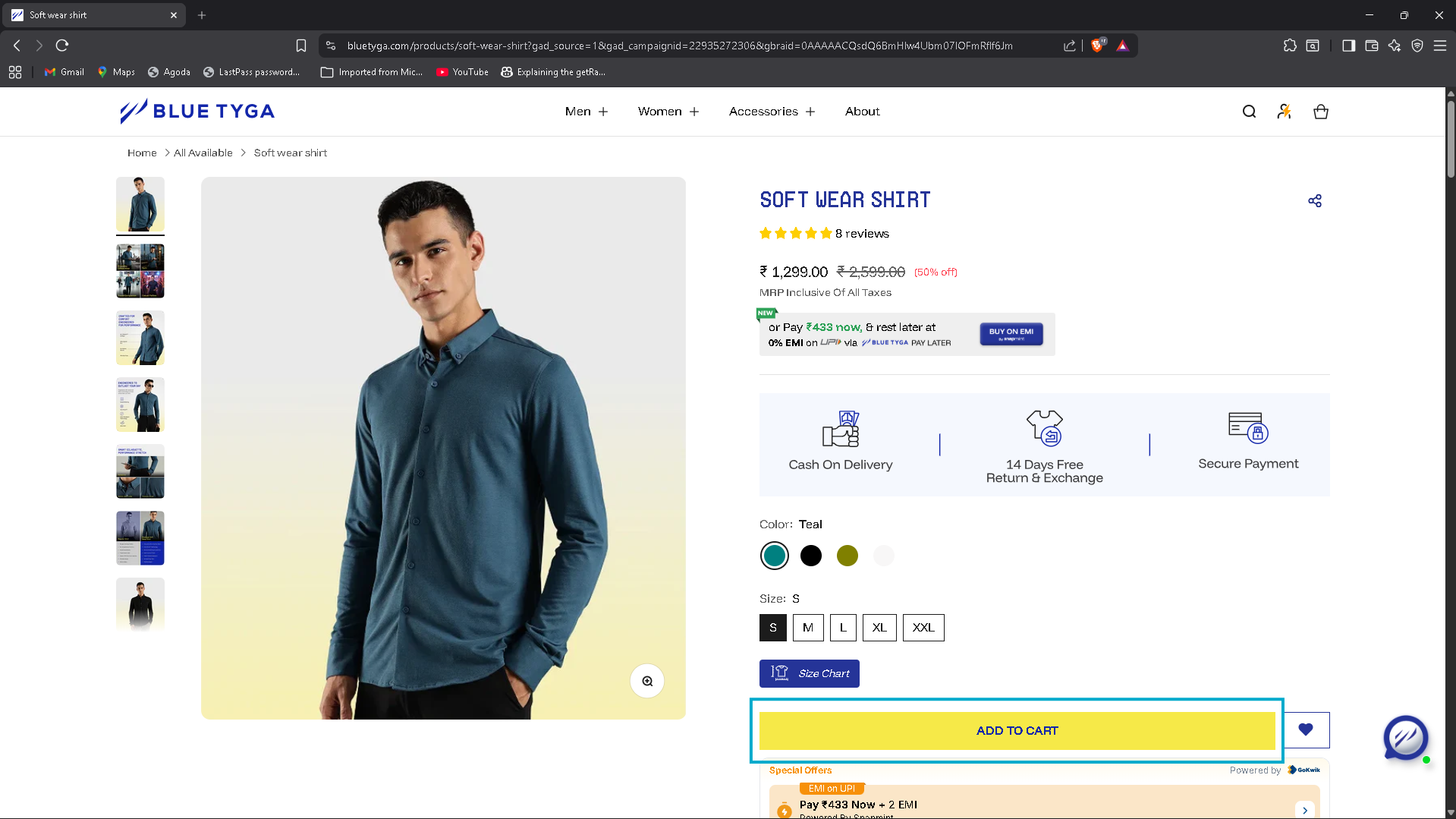
After selecting the product options, click the "Add to Cart" button.
The product will be added to your shopping cart, where you can review the items you want to purchase.
You can:
- Continue shopping and add more products
- Proceed to checkout when you are ready
Step 4: Review Your Cart
Open your shopping cart to review your selected items.
Check the following:
- Product name and quantity
- Price of each item
- Total order amount
If needed, you can update the quantity or remove items from your cart.
Step 5: Proceed to Checkout
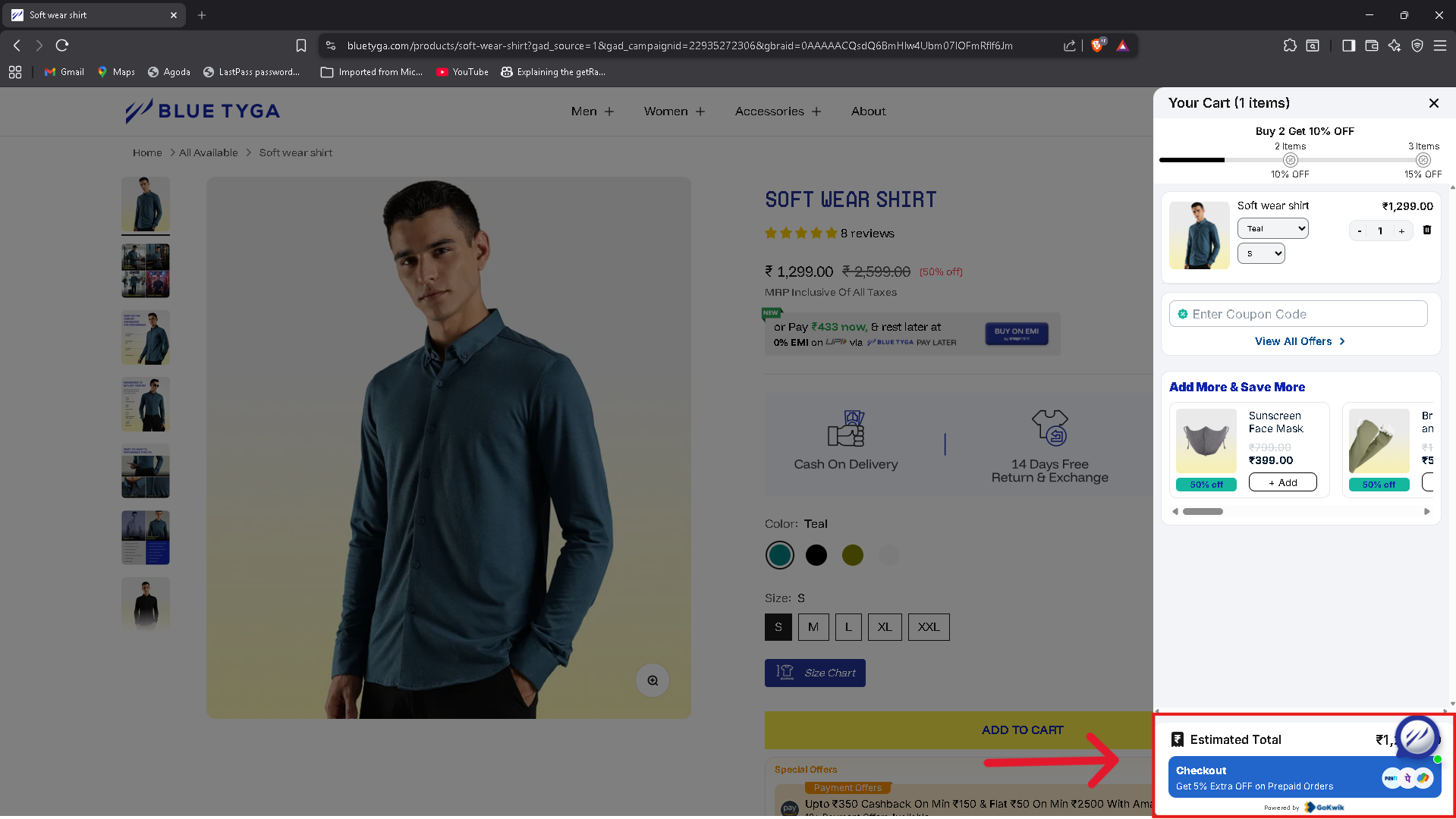
Once you confirm your cart items, click the "Checkout" button.
You will be asked to enter your shipping details, including:
- Full name
- Phone number
- Delivery address
- Postal or ZIP code
Make sure your address is accurate to avoid delivery issues.
Step 6: Choose a Payment Method
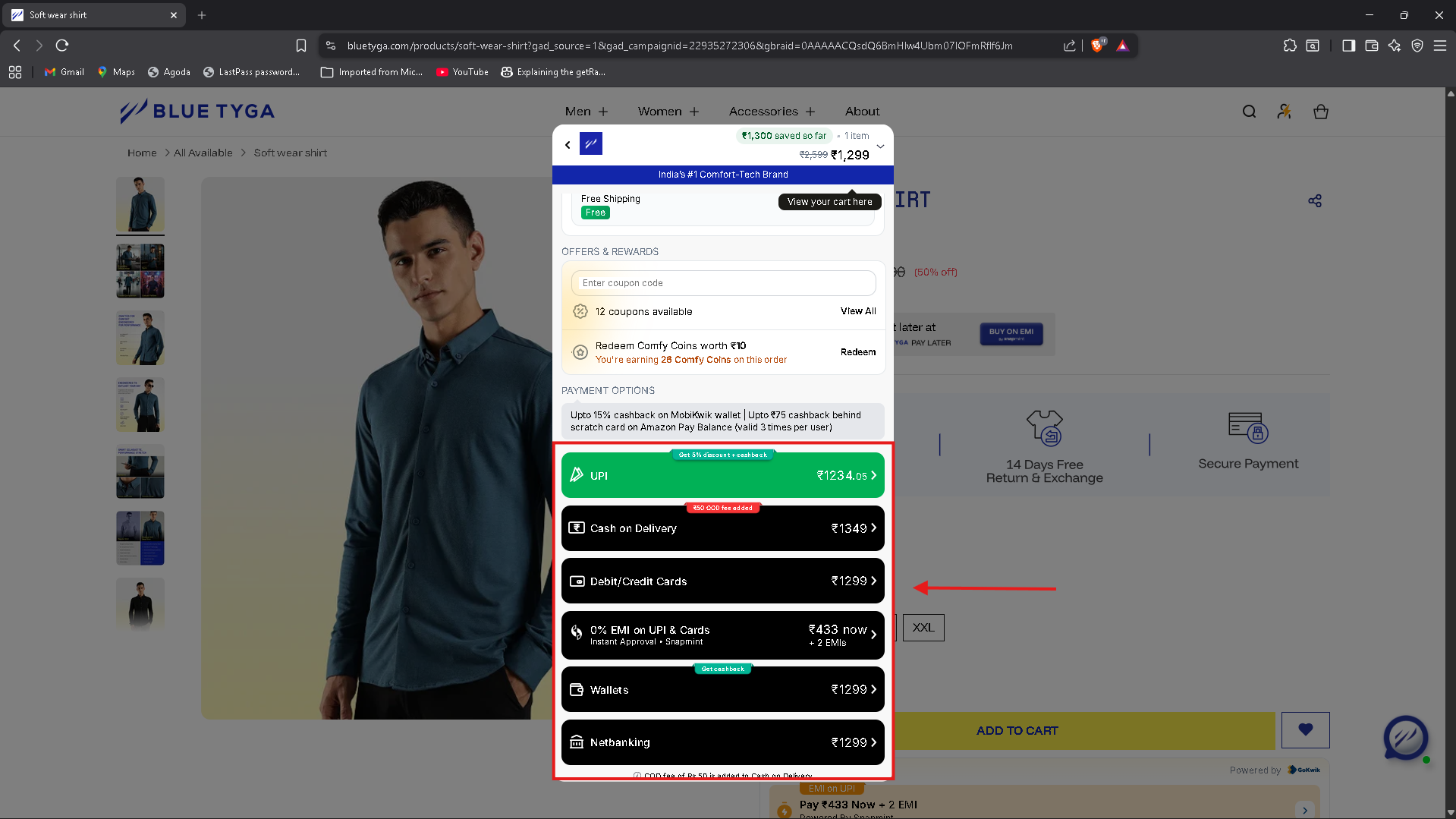
Select your preferred payment method. Common options may include:
- Credit or debit card
- UPI payment
- Net banking
- Cash on Delivery (COD)
Choose the option that is most convenient for you.
Step 7: Confirm Your Order
Before placing your order, review all the details carefully.
Check:
- Delivery address
- Payment method
- Total order value
Once everything is correct, click "Place Order".
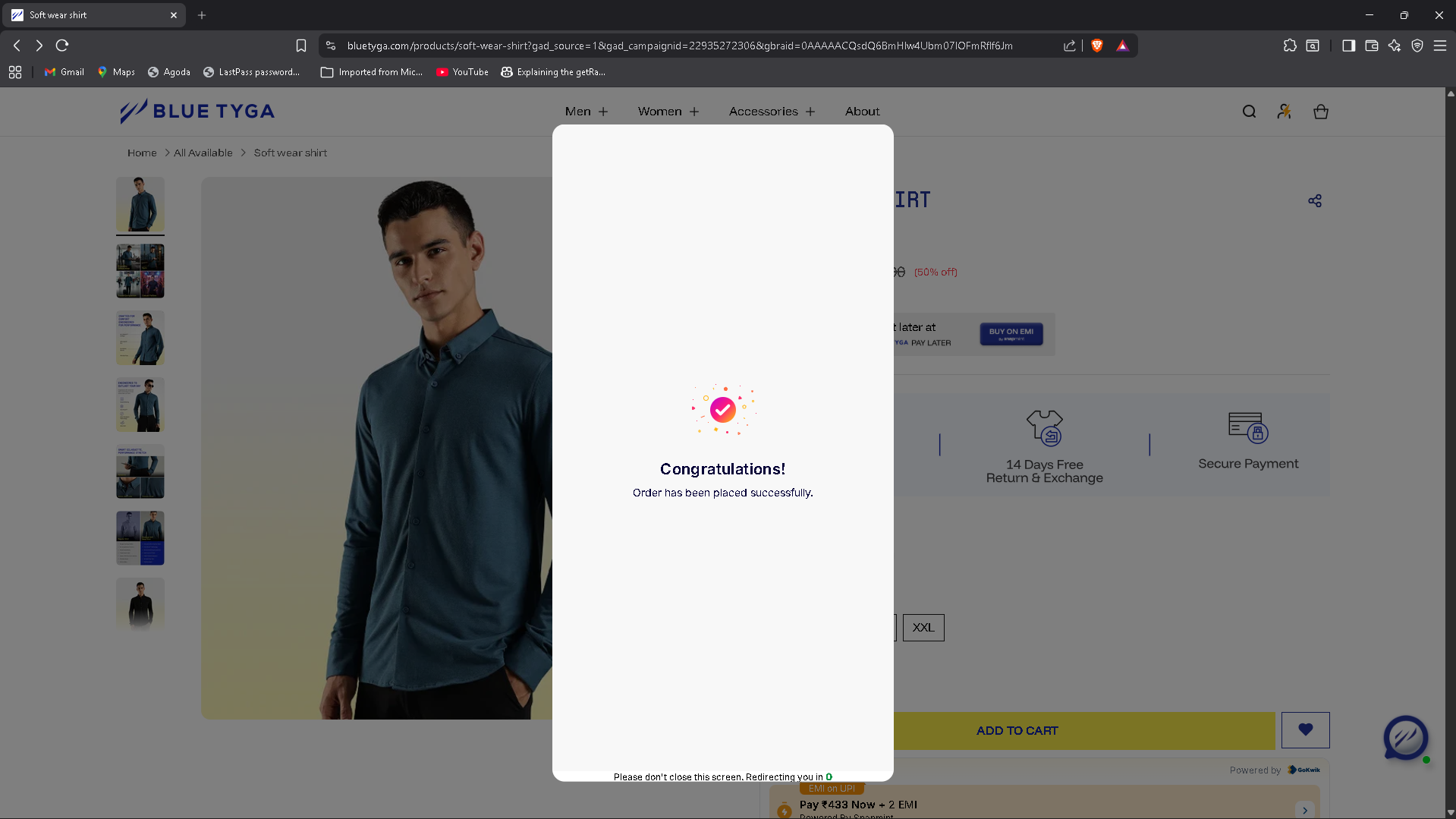
Step 8: Order Confirmation
After placing your order, you will receive a confirmation message.
This may include:
- An order confirmation email
- An WhatsApp notification
- Your order number for tracking
You can use this order number to track the status of your delivery.
⚠️ Important Note:
Your delivery address may be automatically fetched from your saved account details during checkout. Please make sure that the address is correct and complete before placing the order. If the address is incorrect, it may cause delivery delays or order cancellation
Conclusion
Placing an order on our website is a quick and easy process. By following these simple steps selecting your product, reviewing your cart, entering delivery details, and confirming payment you can complete your purchase smoothly.
If you need any assistance, our customer support team is always ready to help.
Was this article helpful?
That’s Great!
Thank you for your feedback
Sorry! We couldn't be helpful
Thank you for your feedback
Feedback sent
We appreciate your effort and will try to fix the article