Introduction
You can easily track your order status through our website. Follow the steps below to check the latest updates on your delivery.
Steps to Track Your Order
Step 1: Visit Our Website
Go to our official website.
Step 2: Go to the Track Order Section
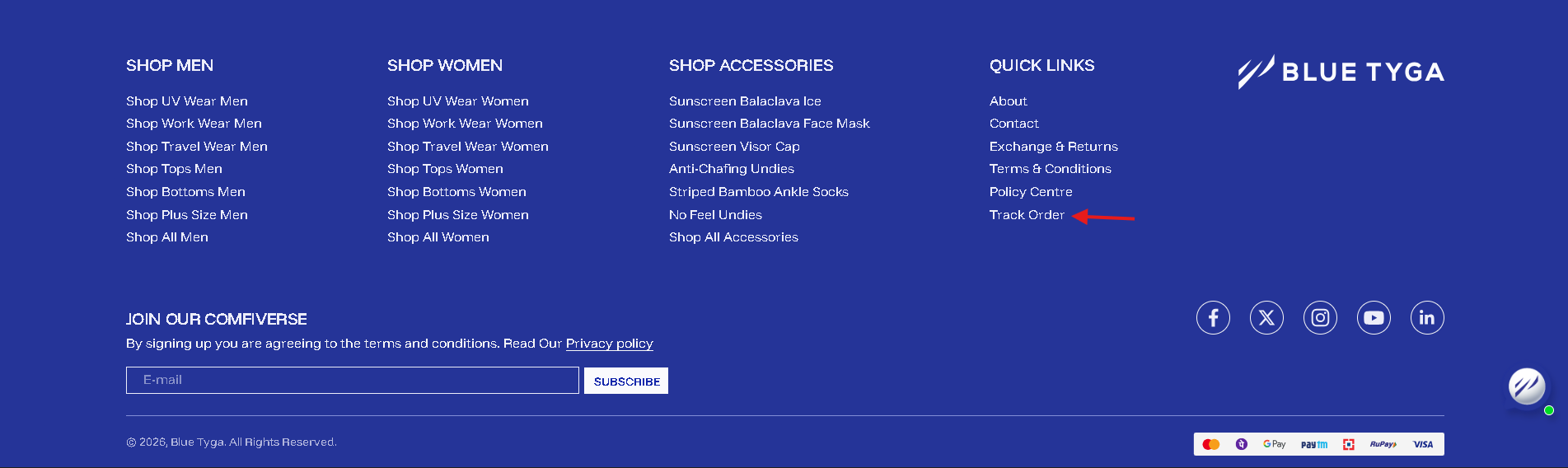
Scroll down to the bottom of the website (footer section).
Click on the “Track Order” option.
Step 3: Open the Tracking Page
You will be redirected to the Track Order page.
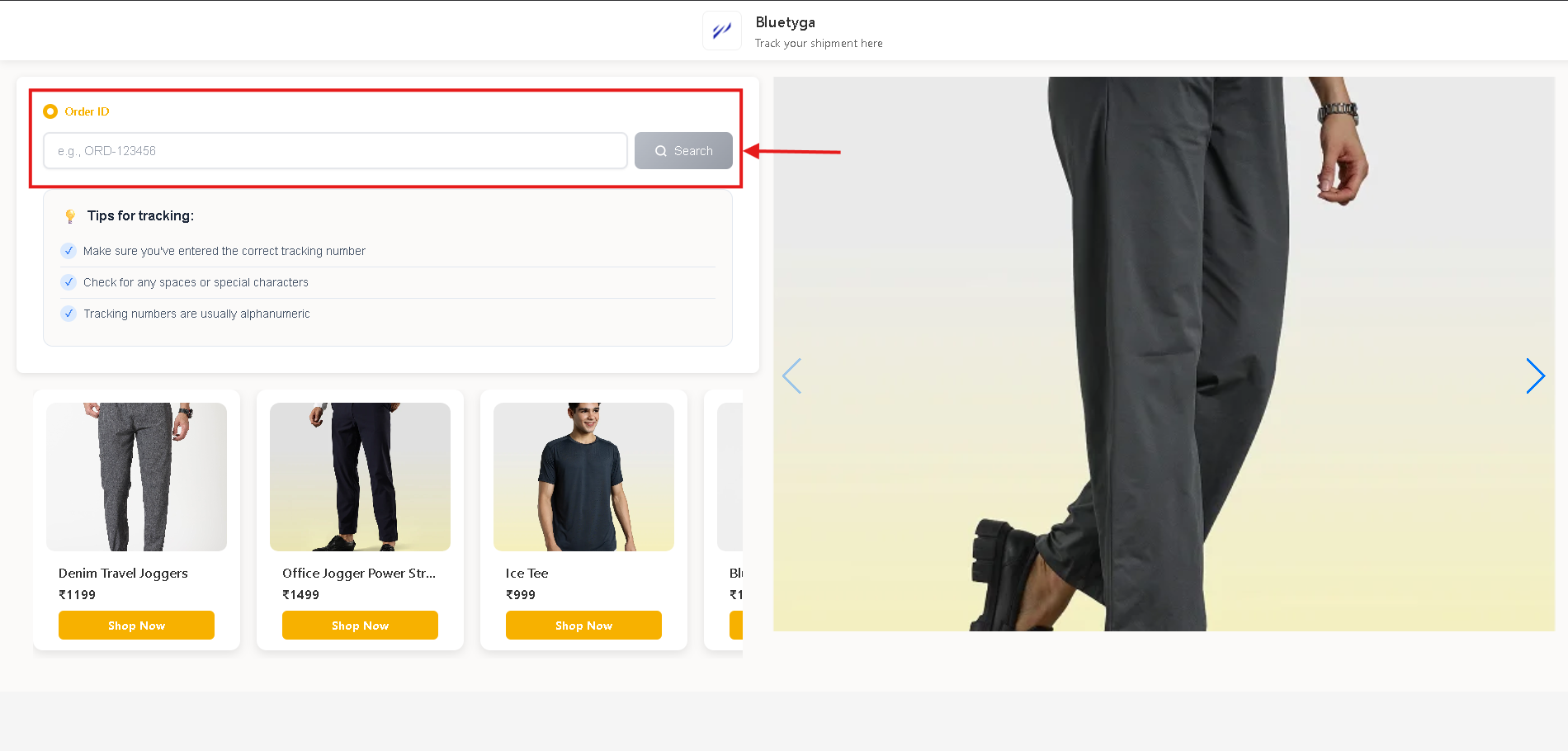
Step 4: Enter Your Order Details
On the tracking page:
- Enter your Order ID
- Click on “Search”
Step 5: View Order Status
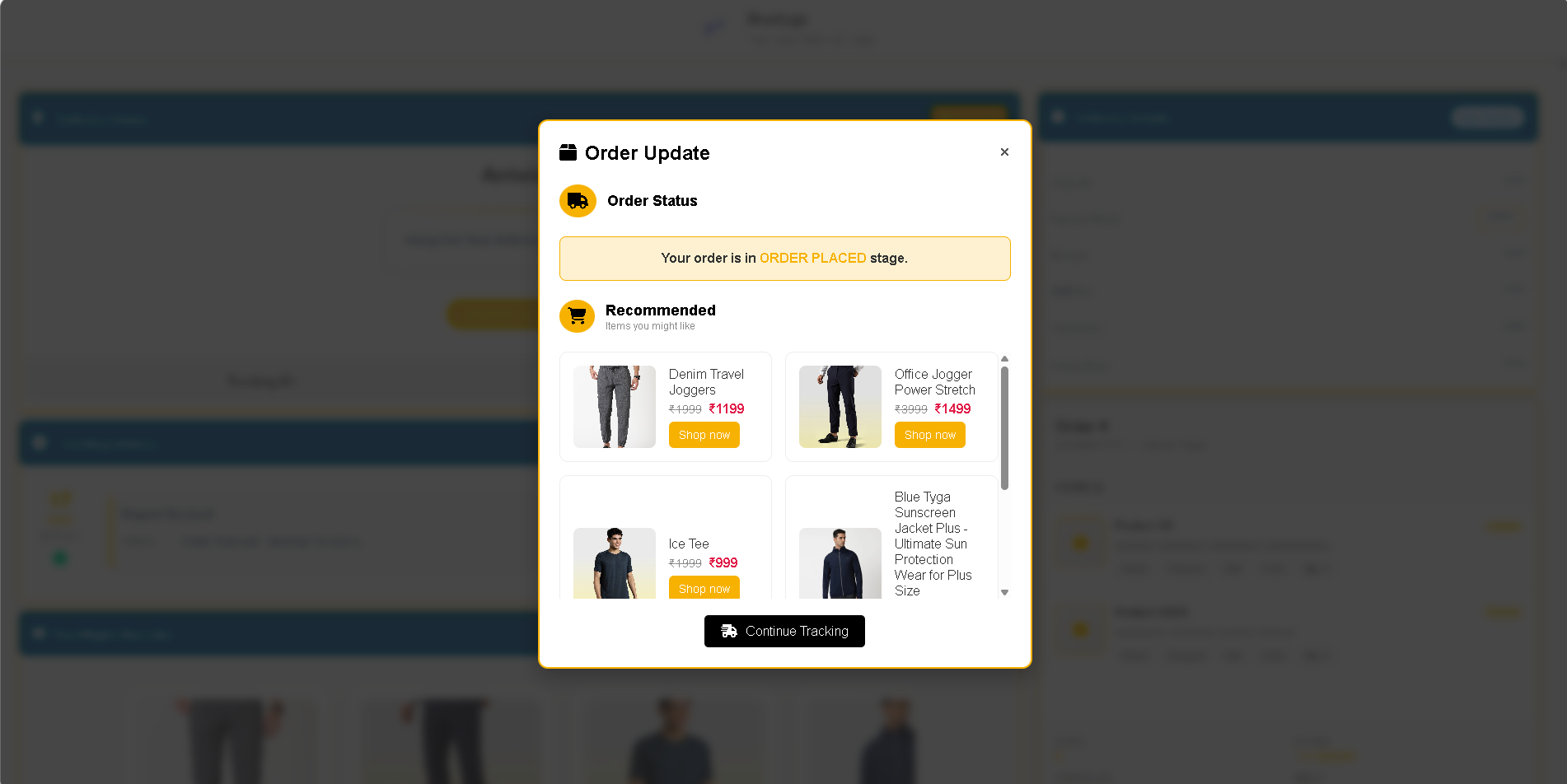
Click on “Continue” after searching.
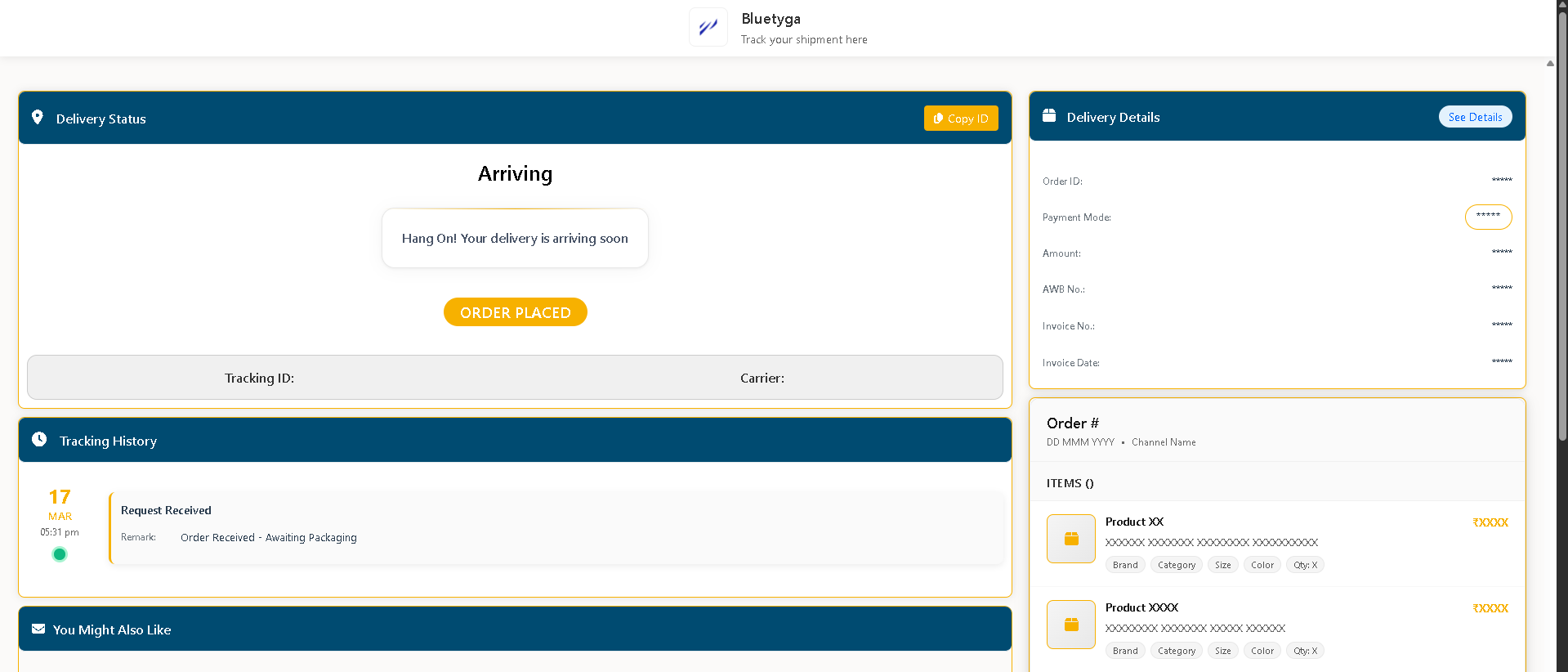
You will be able to see your order tracking information, including:
- Order status
- Shipping updates
- Delivery progress
Important Note
⚠️ Please make sure your Order ID is entered correctly to view accurate tracking details.
Conclusion
Tracking your order is simple and can be done in just a few steps. By following the above process, you can stay updated on your order’s delivery status at any time.
Was this article helpful?
That’s Great!
Thank you for your feedback
Sorry! We couldn't be helpful
Thank you for your feedback
Feedback sent
We appreciate your effort and will try to fix the article