Order Tracking
You can easily track your Blue Tyga order at any time by logging into your customer account.
Option 1: Track via Your Blue Tyga Account
Step 1 – Go to the Website
Visit: www.bluetyga.com
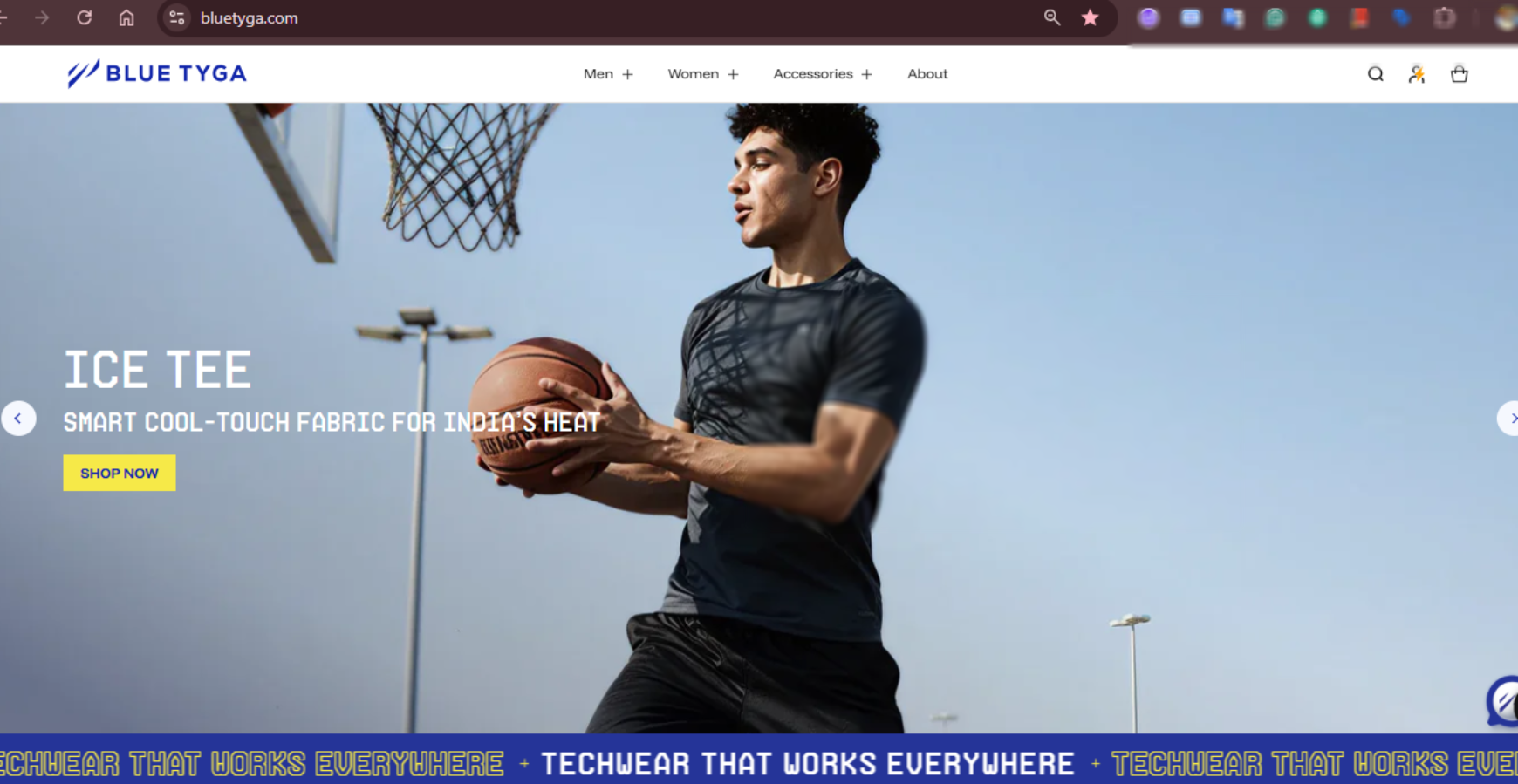
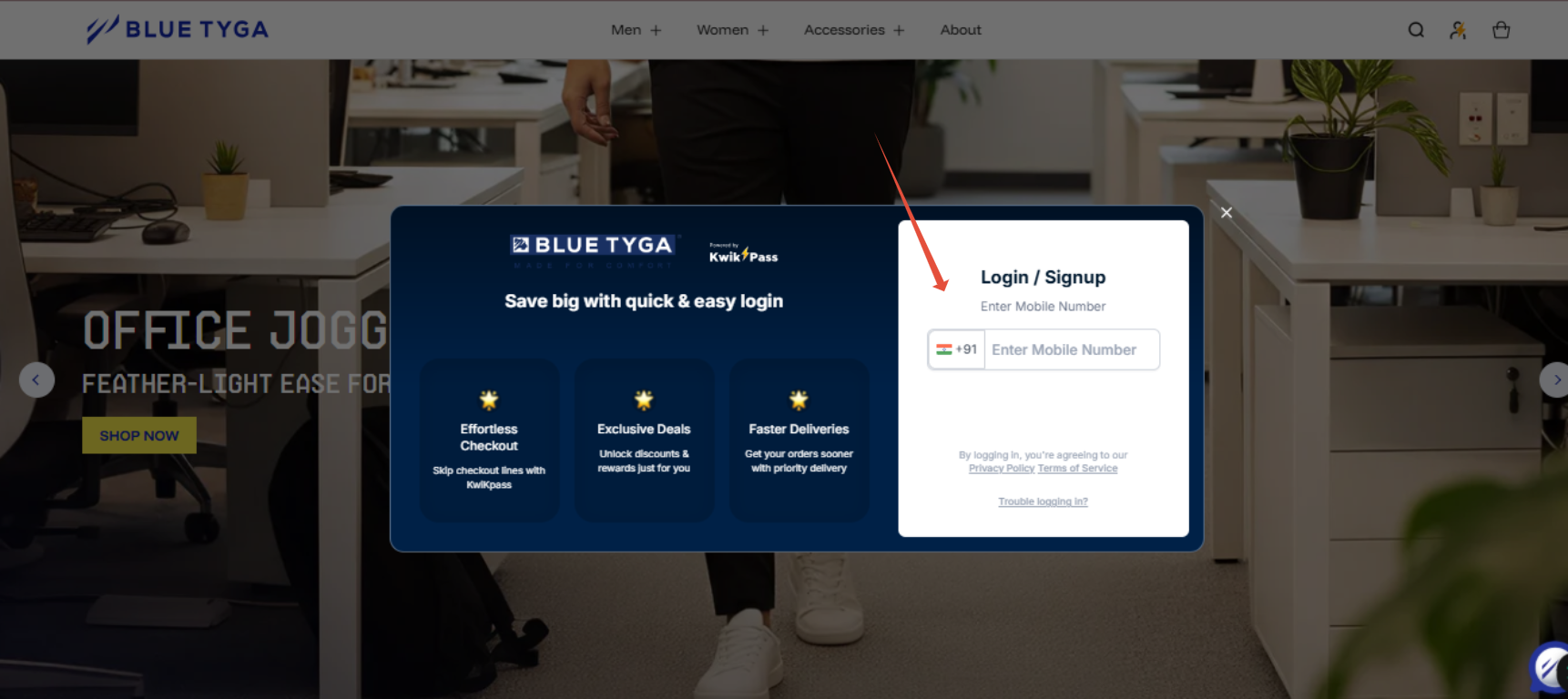
Step 2 – Login to Your Account
Click on “Login / Account” at the top right.
Enter your registered mobile number / email and OTP.
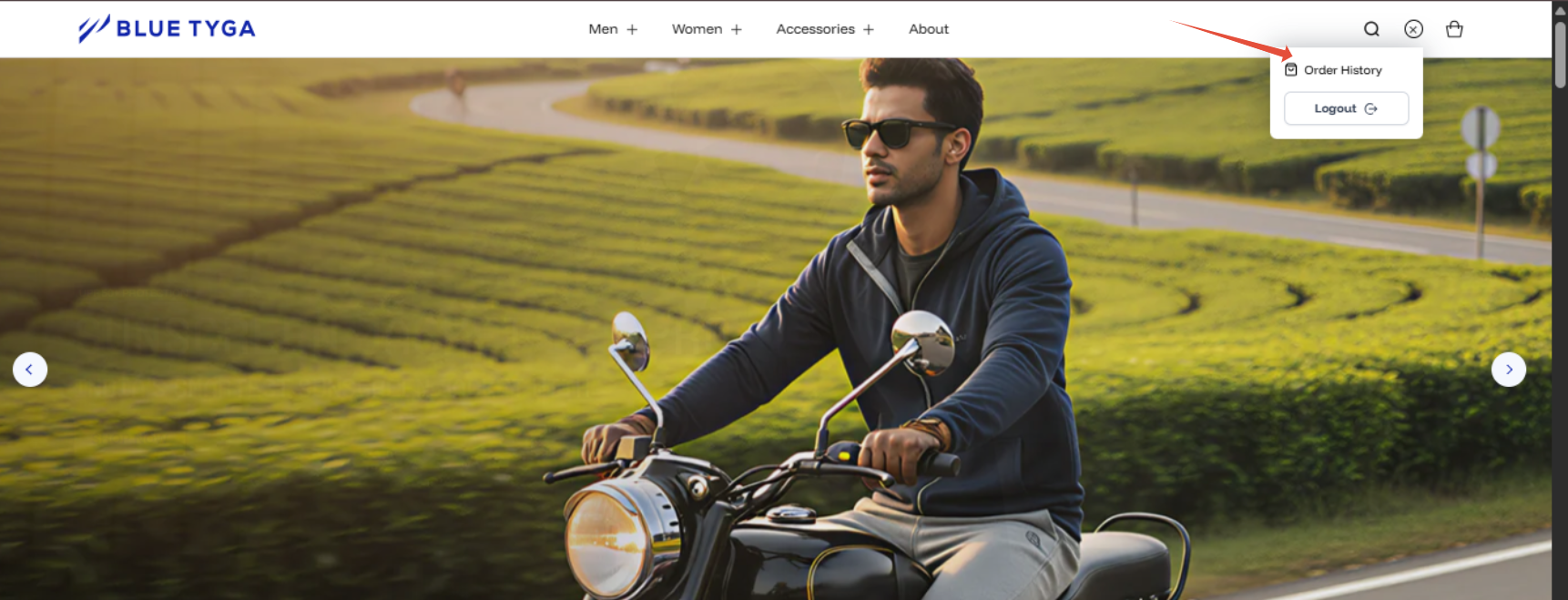
- Step 3 – Go to “My Orders”
Once logged in, click on “My Account” → “My Orders”.
You will see a list of all your past and current orders.
Step 4 – Select Your Order
Click on the specific Order ID you want to track.
You will see the current status (e.g., Processing, Shipped, Out for Delivery, Delivered).

Step 5 – View Courier Tracking
On the order details page, click on the “Track Shipment” or “Track Order” button.
This will open the courier tracking page (e.g., Delhivery, DTDC, Amazon, etc.) where you can see live updates.
Option 2: Track via SMS / Email Link
After your order is shipped, you will receive an SMS and email with a tracking link.
Simply click on the link to view real-time tracking updates, without logging in.
If Tracking Is Not Updating
If your tracking status has not been updated for more than 48 hours, you can contact us at: ✉️ contact@bluetyga.com
Our support team will coordinate with the delivery partner and share an update as soon as possible.
Was this article helpful?
That’s Great!
Thank you for your feedback
Sorry! We couldn't be helpful
Thank you for your feedback
Feedback sent
We appreciate your effort and will try to fix the article